Sourced, not invented
Every idea traces back to something real in your industry: a news story, a competitor move, a live question. Specific beats generic every time.
LAUNCH50.
Join the waitlist and hear first WordPush version two is live.
Half price for three months with LAUNCH50, until 1 October.
Start free Version two lands 14 September Half price, 3 months · LAUNCH50 Version two is live Half price · LAUNCH50 

LinkedIn post ideas are easiest to find in your own industry rather than in a generic prompt list: what changed this week, what a competitor said, what people keep asking. The Idea Hub does that reading overnight and leaves a scored shortlist waiting each morning.
No card needed. Free for 7 days.
Open an idea and the chat already knows what you are writing about and why it was surfaced. You say what you actually think, and it drafts the post in the voice it built from your onboarding interview.
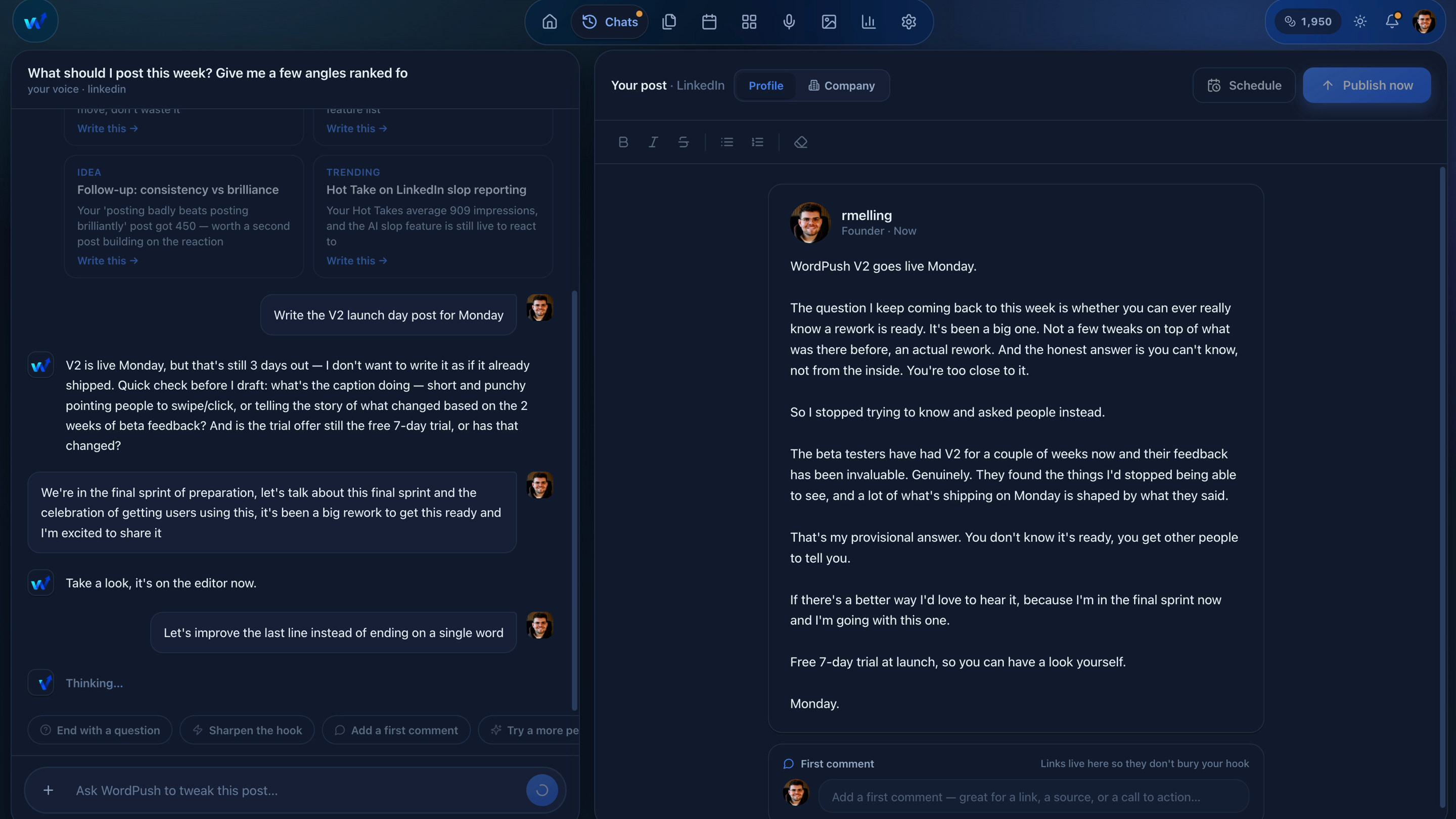
Anyone can hand you a hundred generic prompts. This reads the whole landscape and hands you the few ideas that fit your business.
Every idea traces back to something real in your industry: a news story, a competitor move, a live question. Specific beats generic every time.
Ideas are ranked by how well they match your brand and your audience, so the ones worth your time surface first and the noise stays out of the way.
Open an idea and the chat is already on it. No copying a topic from one tab into a prompt box in another.
Want the manual version of the same habit? The guide on what to post on LinkedIn walks through these idea sources by hand.
Some days you want the news. Some days you want to see what is working before you write. The hub is split so you can go straight to the one you need.
The ideas that scored hardest against your brand and your audience.
What is climbing in your niche right now, while it is still climbing.
Posts that broke out this week, so you can see the shape of one that worked.
What actually changed in your industry today, turned into an angle.
What the companies you named are saying, and what they are missing.
Real questions people are asking in forums and threads in your field.
Paste any article or URL and it becomes a post angle you can open.
The ideas you liked but were not ready to write yet.
Tell it your industry, connect LinkedIn when you are ready, and let it bring you the ideas.
No card needed. Cancel any time.
They show us how the site gets used and which ads brought you here.
Essential cookies stay either way. Nothing is ever sold on. What we collect