Skip to content WordPush version two lands on 14 September. Half price for three months with LAUNCH50. Join the waitlist and hear first Version two lands 14 September Half price, 3 months · LAUNCH50
The chat

An AI writer you talk to, not prompt

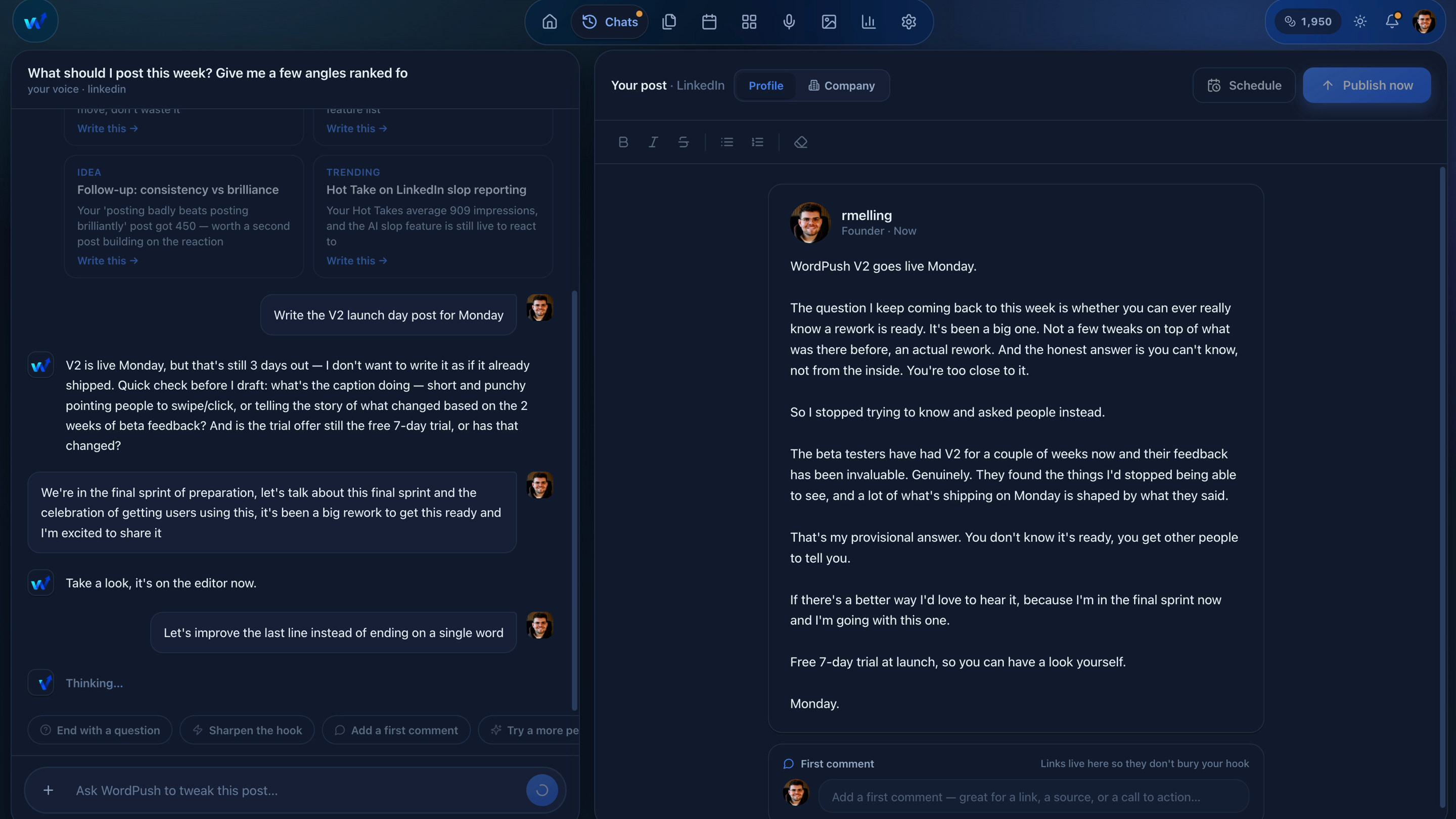
WordPush's AI writer works as a conversation rather than a prompt box. It opens with post ideas found from your industry that morning, you pick one and say what you think, and it drafts the post in the voice it built from your onboarding interview. You sharpen it by asking.

No card needed. Free for 7 days.
app.wordpush.co.uk/dashboard
The WordPush chat on the left with a finished LinkedIn post and its image on the right
No blank box

It opens with something to say

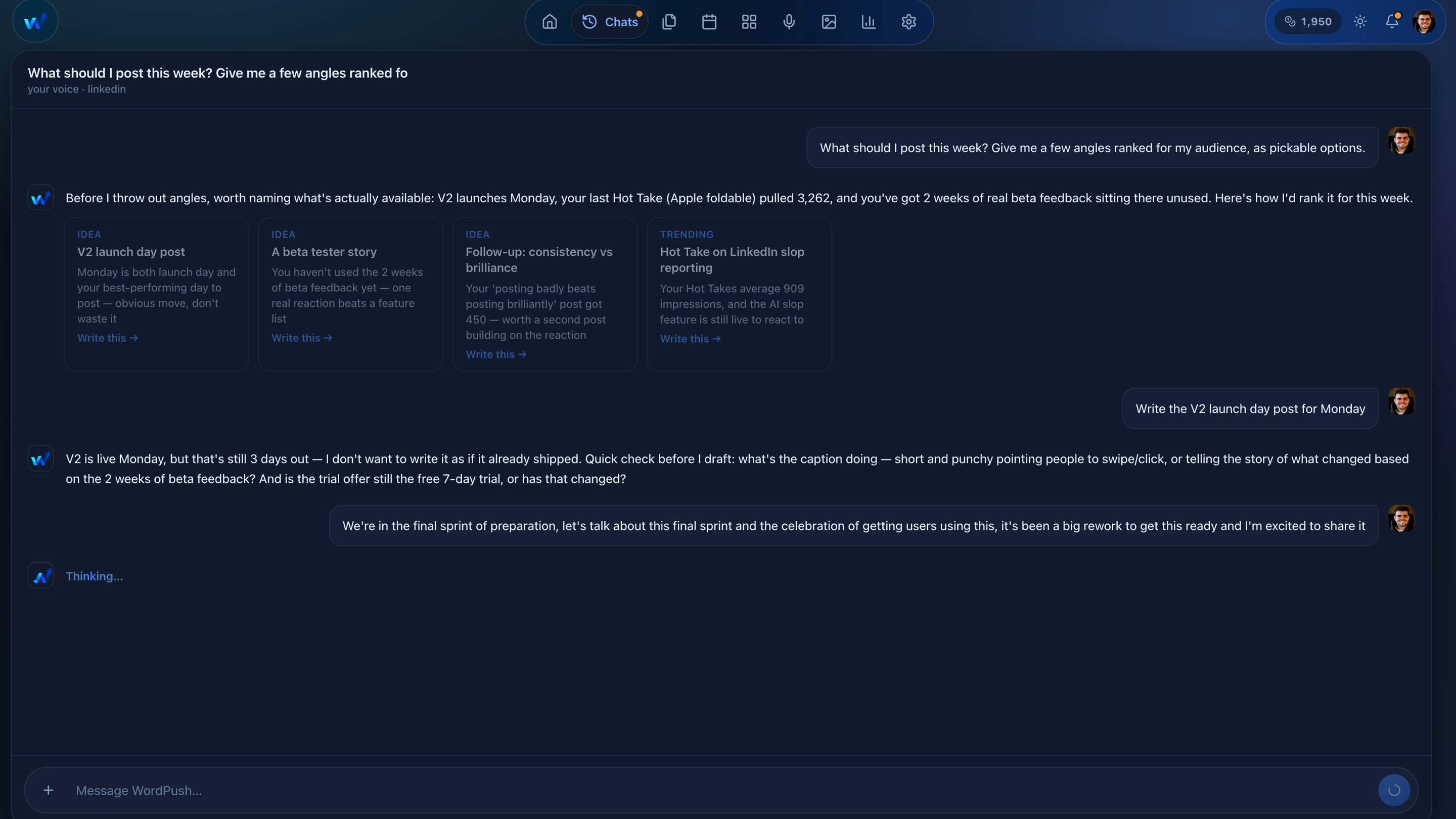
Every other writer starts empty and waits for you. This one starts with the ideas it found overnight in your industry, each one scored against your brand and ready to open with a single click.
  • Angles ranked to your brand, not generic trending noise
  • Each one opens straight into a draft
  • Tell it what to stop showing you, in plain language
app.wordpush.co.uk/dashboard
WordPush ranking this week's post angles in the chat, still thinking as it writes
Refining

Change it by asking, not rewriting

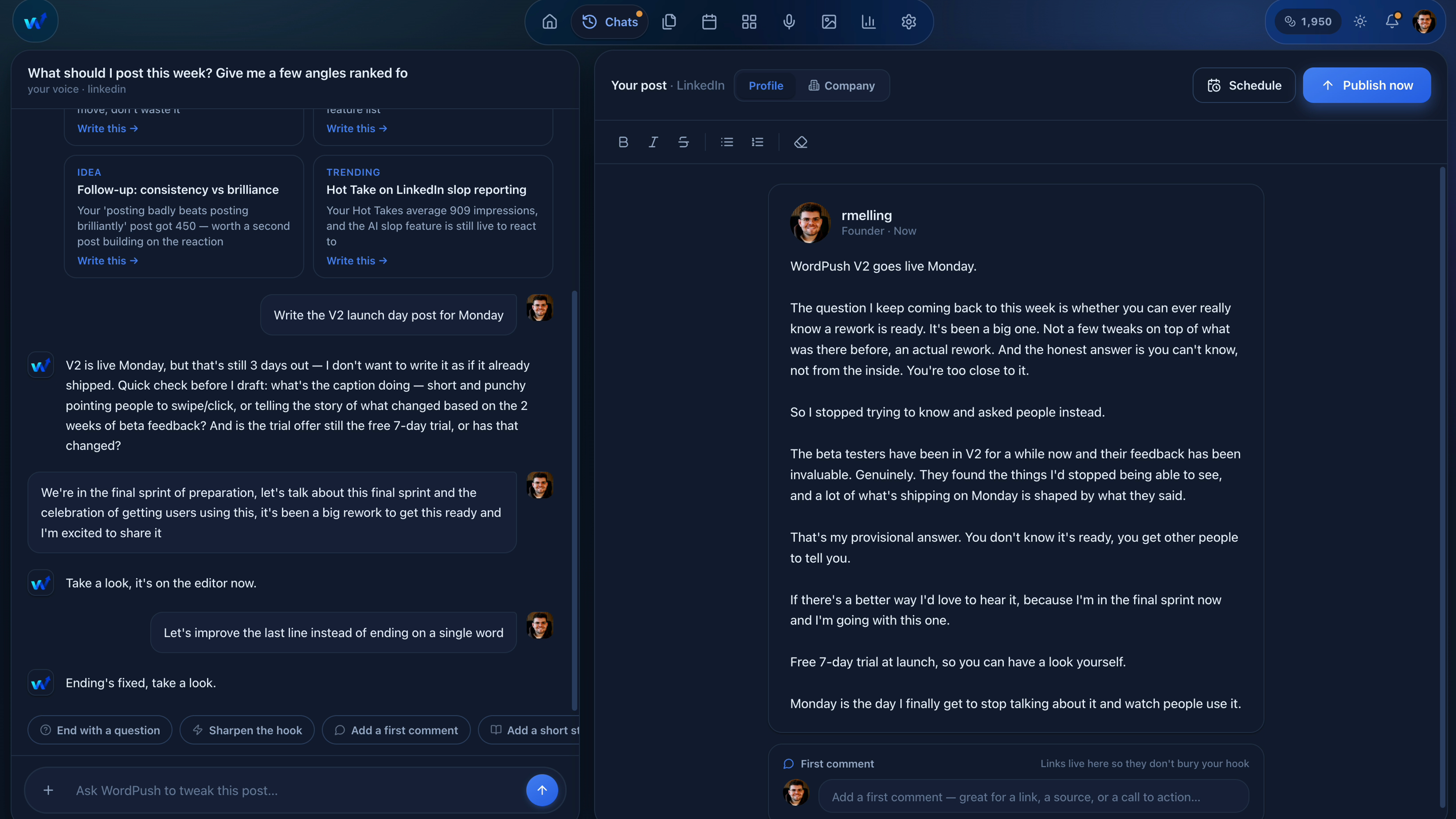
Ask for a bolder take, a specific number or a harder hook, in the same conversation that wrote the draft. It changes that part and leaves the rest alone, so you are editing rather than starting over.
  • Say what you want different, in normal language
  • Changes land in the draft beside the chat, not in a wall of new text
  • Every draft is yours to edit before anything publishes
app.wordpush.co.uk/dashboard
Asking WordPush for a harder hook in the chat, with the draft updating alongside
From the same conversation

The post is only the start

Everything a finished post needs is one message away, without opening another tool.

Apply a template

Start from a structure that already works on LinkedIn, picked by what you want the post to do.

Add a clipping

Pull in your own notes, docs or a post you want to learn from, and write from it or in its style.

Add an image

Upload your own or pick one from your library.

Generate an image

Describe the look, set your colours, and it renders on brand.

Quote card

Pull one sharp line out and make a shareable card. Free, and it costs no credits.

Generate a carousel

Turn the post into real slides, published as a native LinkedIn document.

Questions

The chat, answered

How is this different from ChatGPT?
ChatGPT waits for your prompt, which means it waits for you to have already decided what to post about. WordPush opens with ideas found from your industry that morning, already scored against your brand. You pick one and react to it rather than starting from an empty box.
Do I have to write the post myself?
No. You say what you think about an idea and it drafts the post. Then you sharpen it by asking rather than rewriting: tell it to cut the last line, harden the hook, or add a specific number, and it changes just that.
Will it sound like me or like AI?
It interviews you at signup about how you think and talk, and builds your voice from your answers rather than guessing it from your old posts. It shows you what it learned so you can correct it, and it strips the usual AI tells, em dashes included, because a tool that says it helps you sound human should not leave fingerprints.
Can it make the image and the carousel too?
Yes, both from the same conversation. Ask for an image and it generates one on your brand. Ask for a carousel and it builds the slides. A post carries one or the other, so if you want a carousel you remove the image first.
What is a quote card?
A shareable card built around one line from your post, in the style people share from X. It is free and uses no AI credits, so it is a cheap way to get a second piece of content out of a post that landed.

Stop being your own LinkedIn department.

Tell it your industry, connect LinkedIn when you are ready, and let it bring you the ideas.

No card needed. Cancel any time.

