Every post on one calendar
Your profile and company page side by side. Pick a slot or take the best time WordPush suggests.
LAUNCH50.
Join the waitlist and hear first WordPush version two is live.
Half price for three months with LAUNCH50, until 1 October.
Start free Version two lands 14 September Half price, 3 months · LAUNCH50 Version two is live Half price · LAUNCH50 

WordPush for iPhone, iPad and Mac
Your LinkedIn, written in your voice. Now a native app on every screen you use.
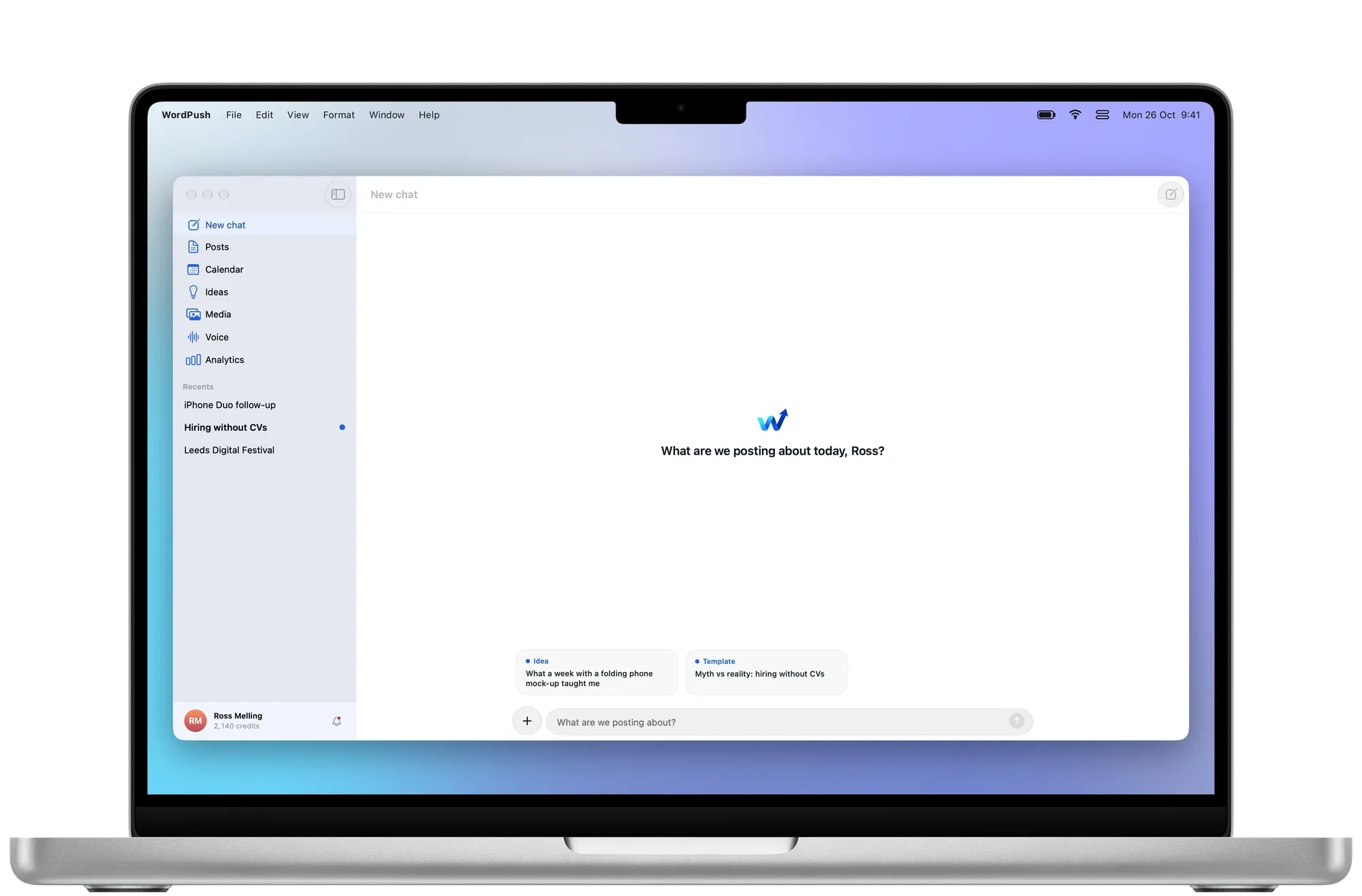
Chat to post
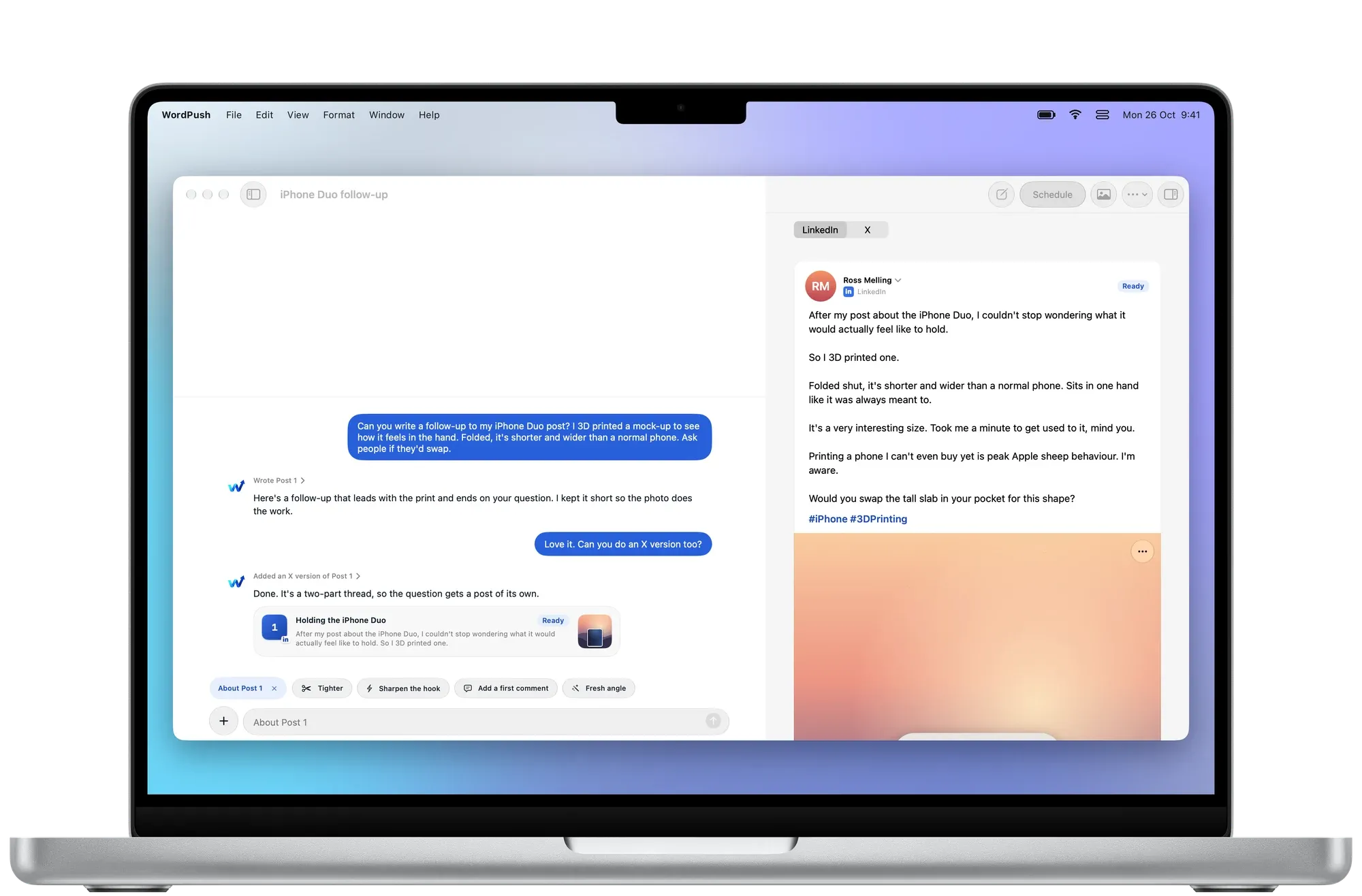
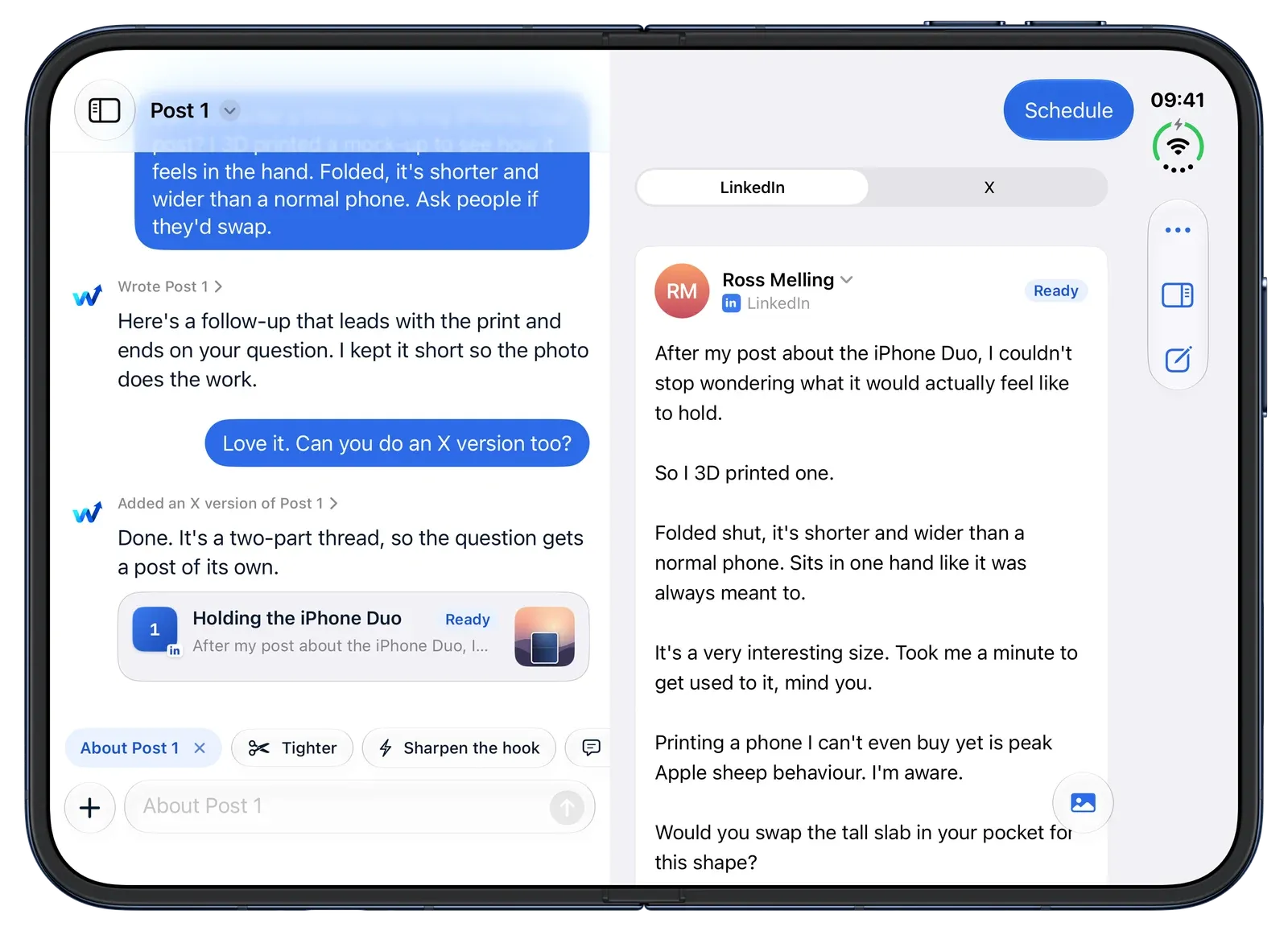
Tell WordPush what happened in a sentence or two. It writes the post, shows it exactly as the feed will, and keeps it beside the chat so you can shape it.
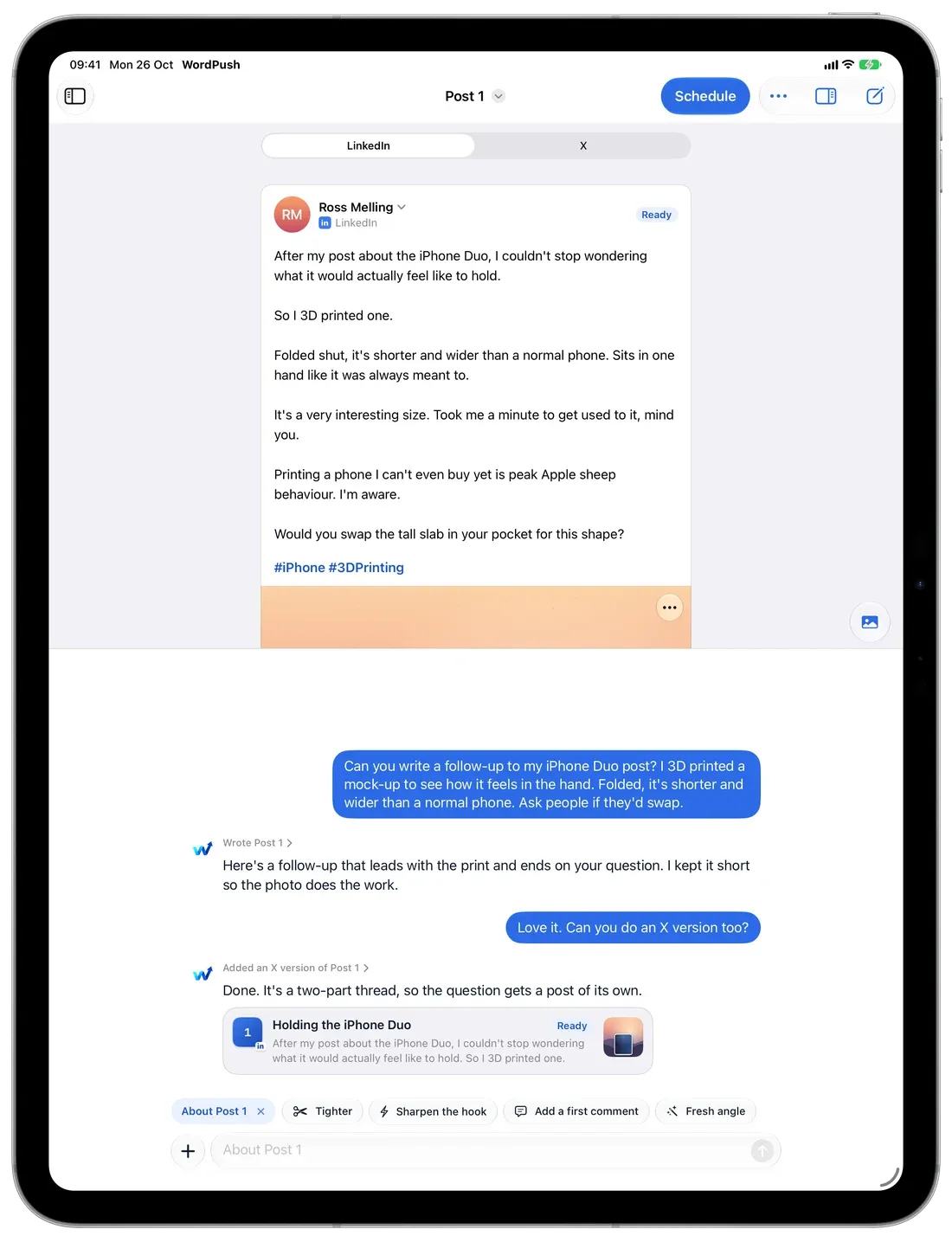
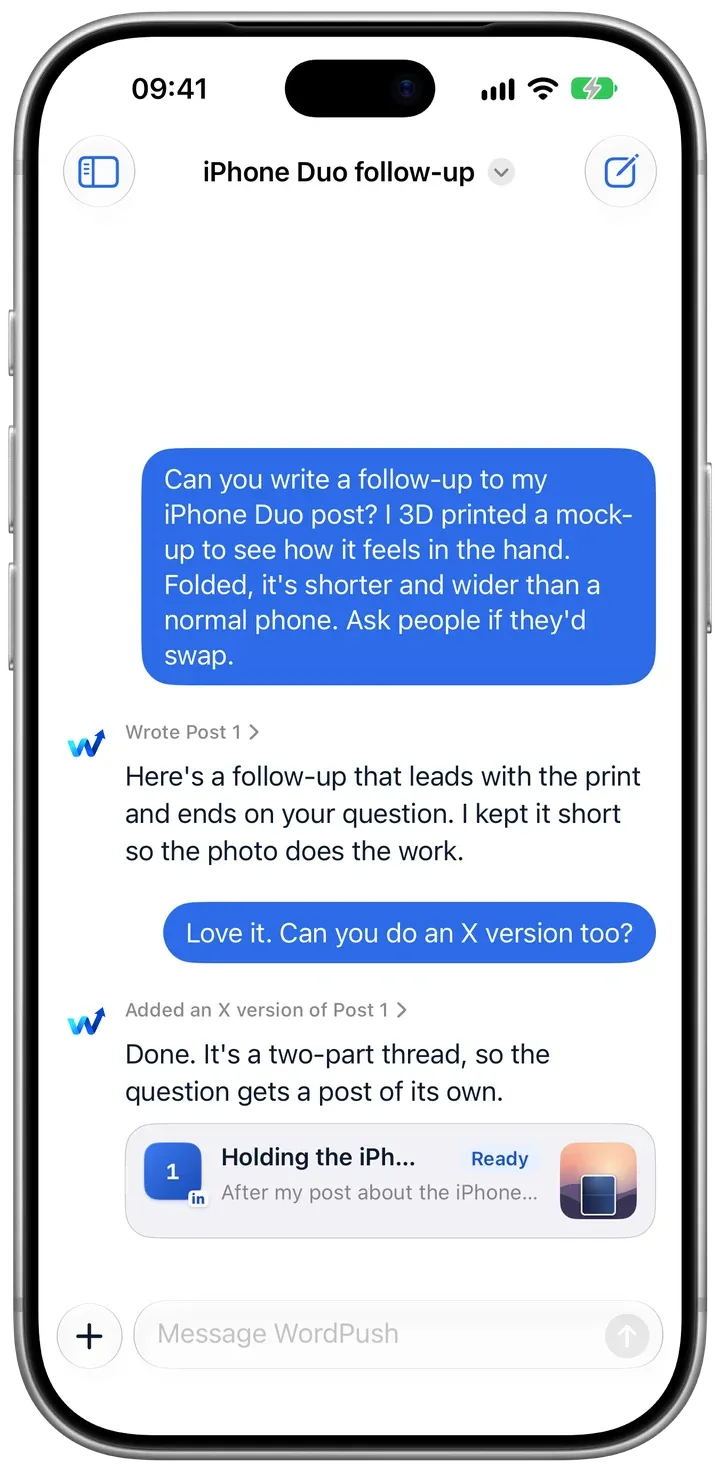
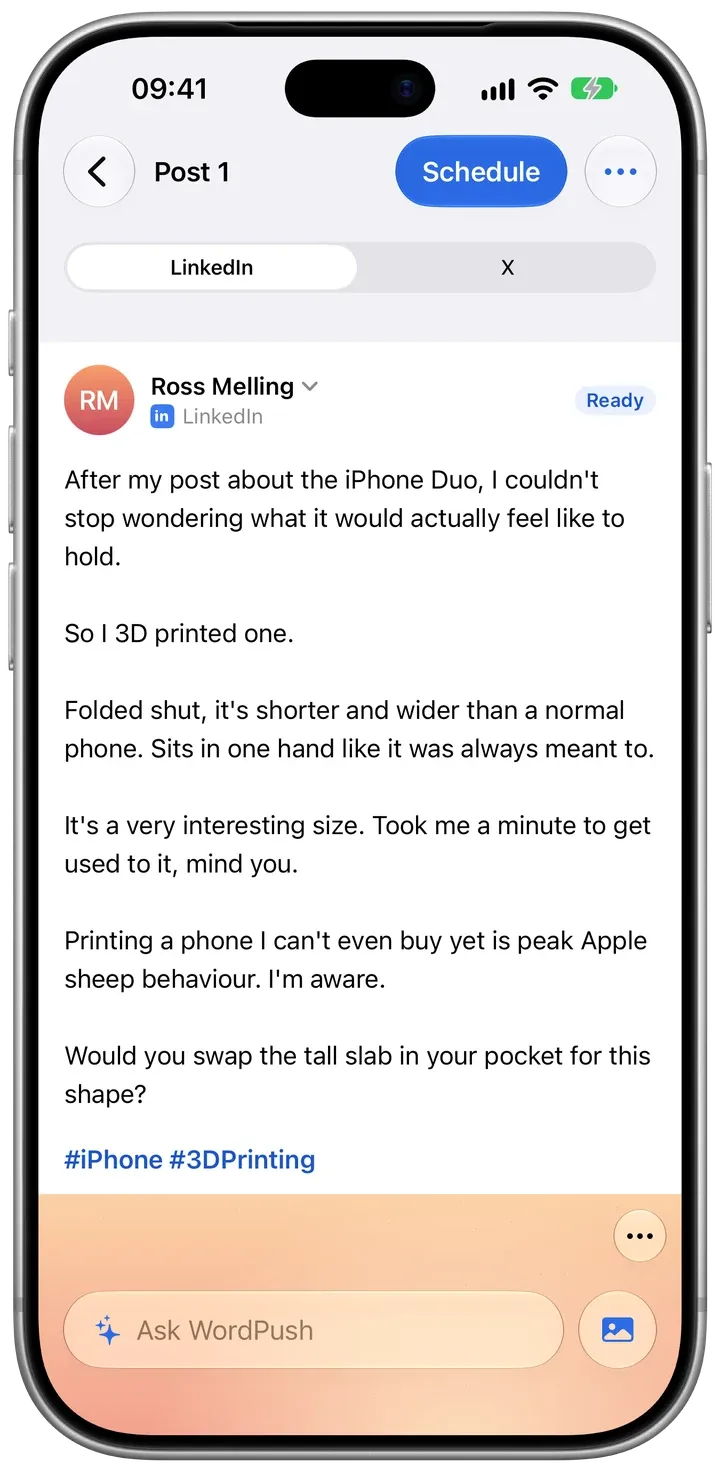
Tighter. Sharper hook. End with a question. Add a first comment. One tap each, and you watch the post change.
Ask for an X version and you get a thread written for X, not a cut‑down copy.
Photos, carousels and your first comment, laid out the way LinkedIn shows them. No separate preview.
Voice Learning
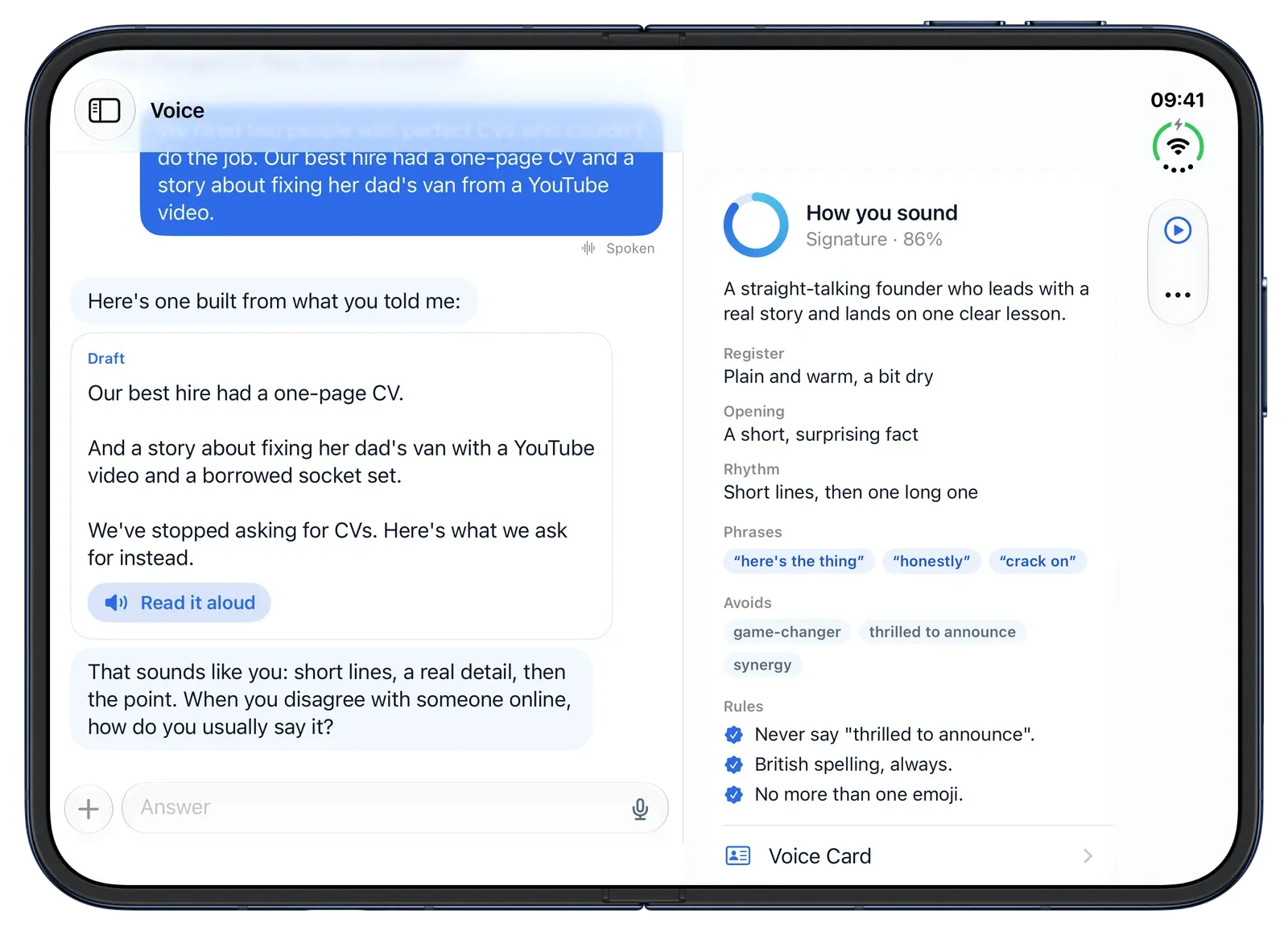
A short interview, spoken or typed. WordPush listens for how you open, how you build a point and the words you’d never use, then writes every post that way.
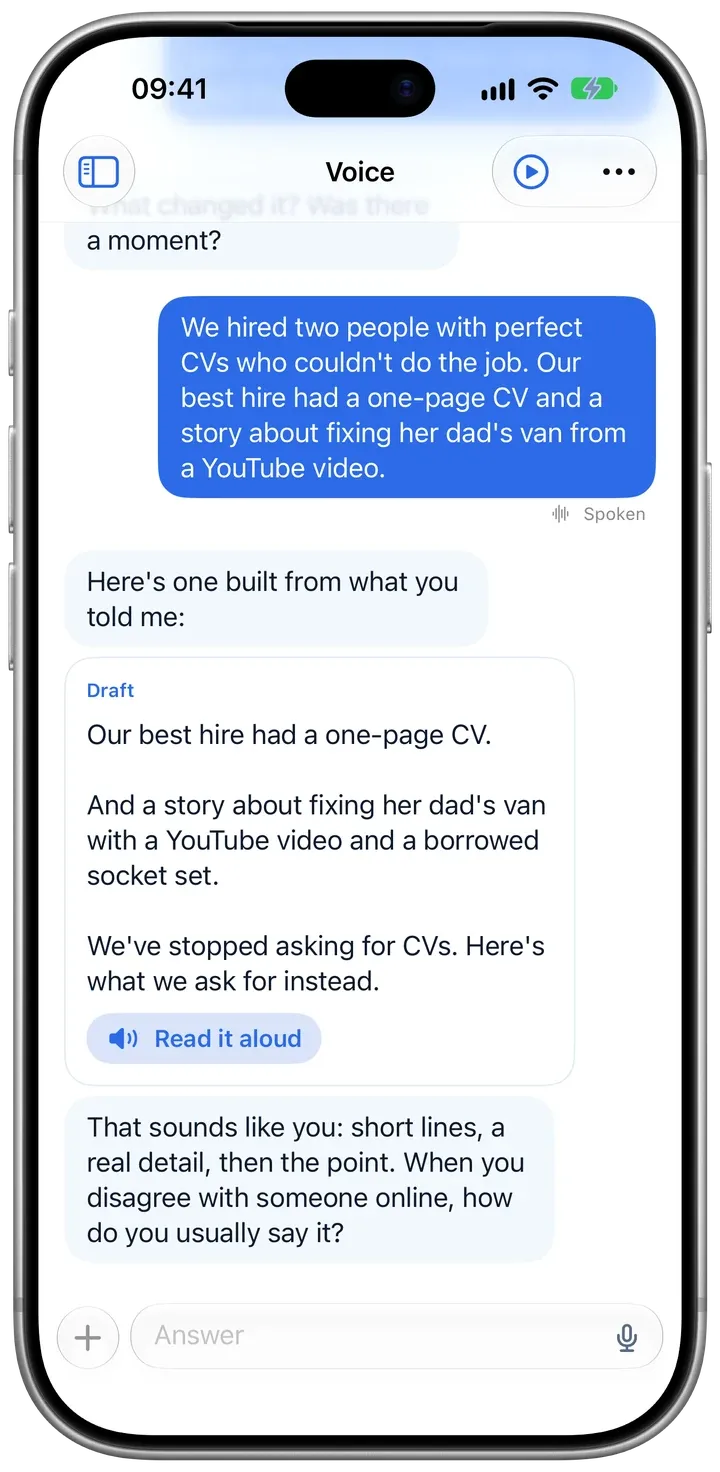
Answer out loud. WordPush turns what you say into text you can tidy before it goes.
Register, rhythm, signature phrases and the words you avoid, written in plain English you can check.
Say “never write thrilled to announce” once, in any chat. It never does again.
Ideas and Trending
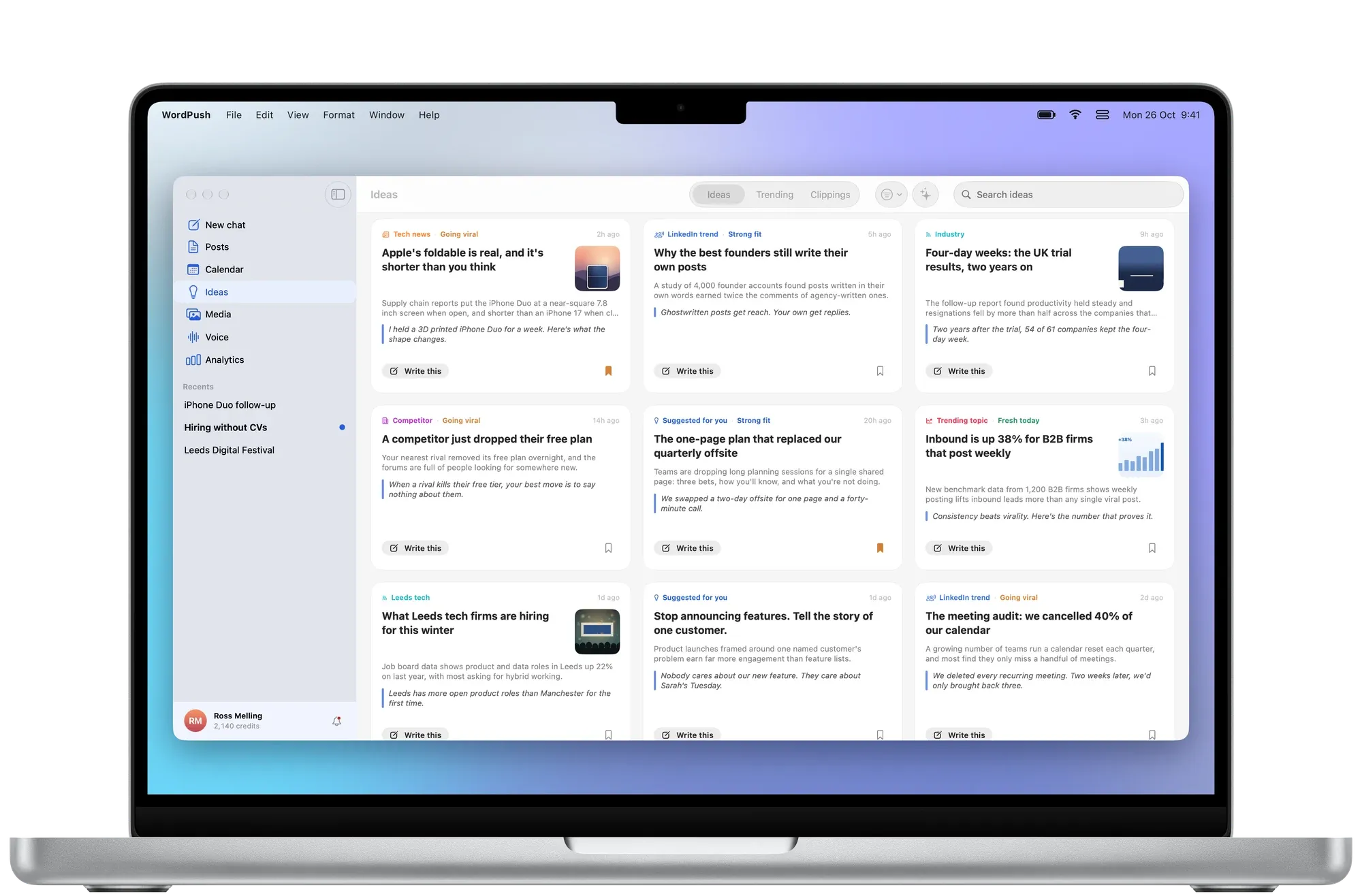
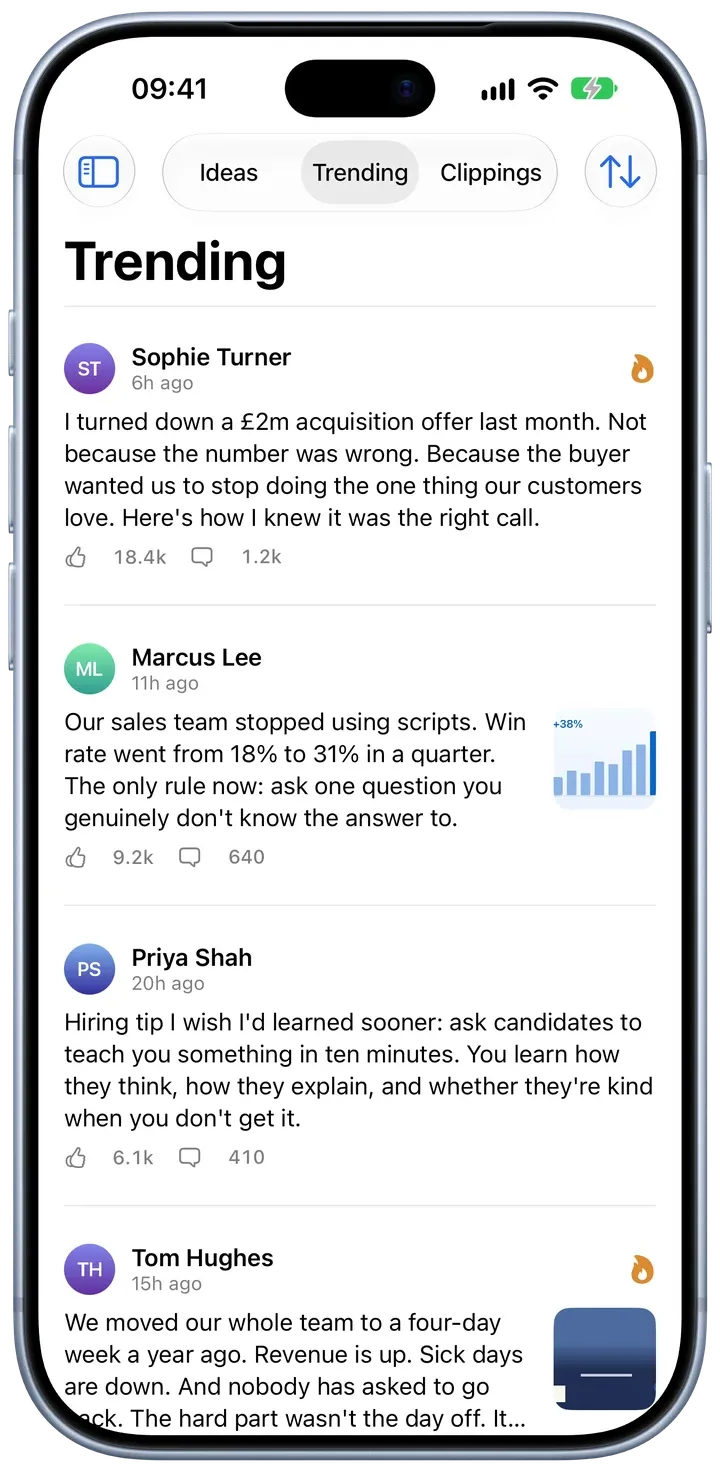
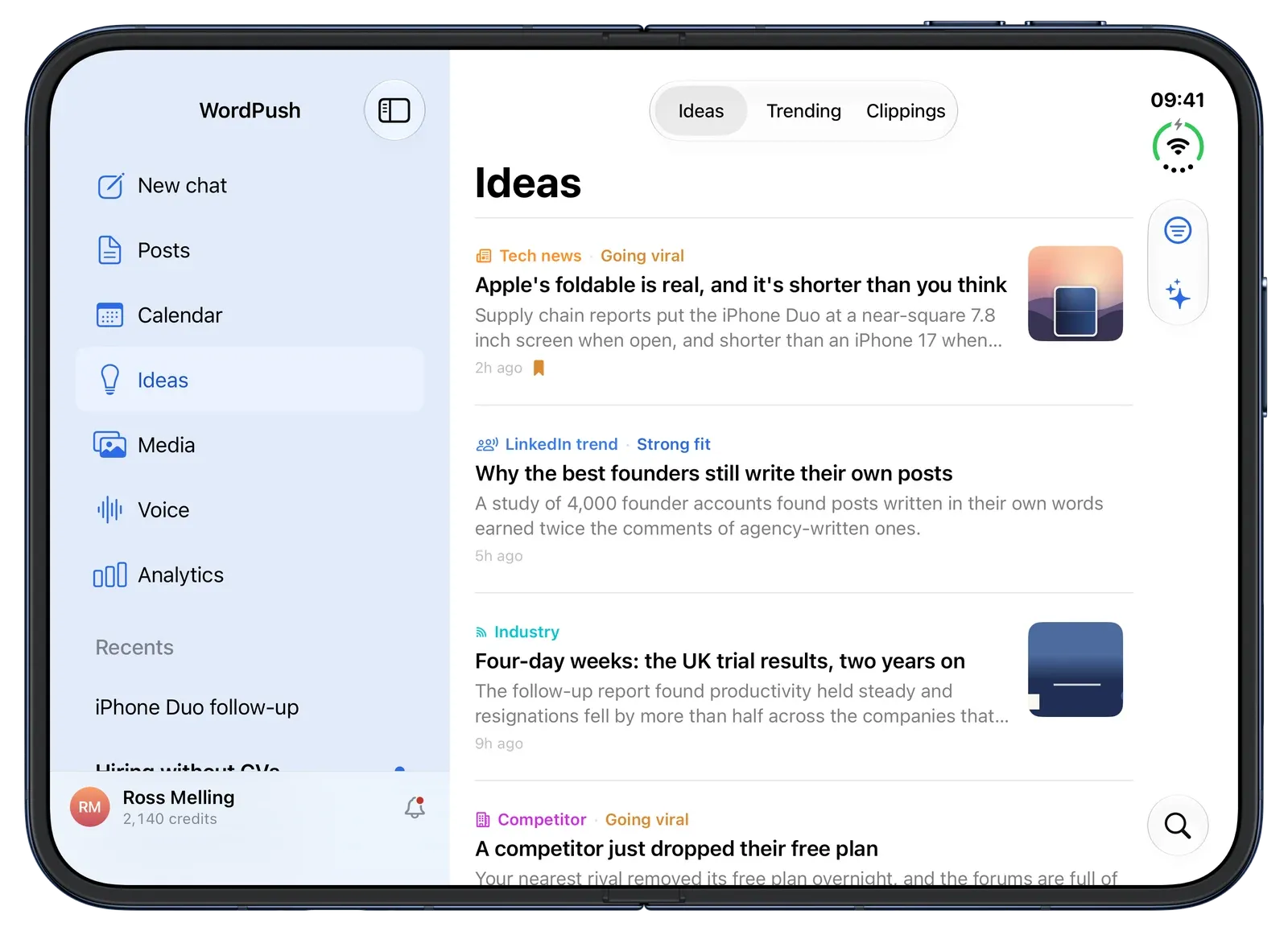
Fresh angles from the news in your field, posts taking off in your network and the clippings you’ve saved. Tap Write this and it’s a draft.
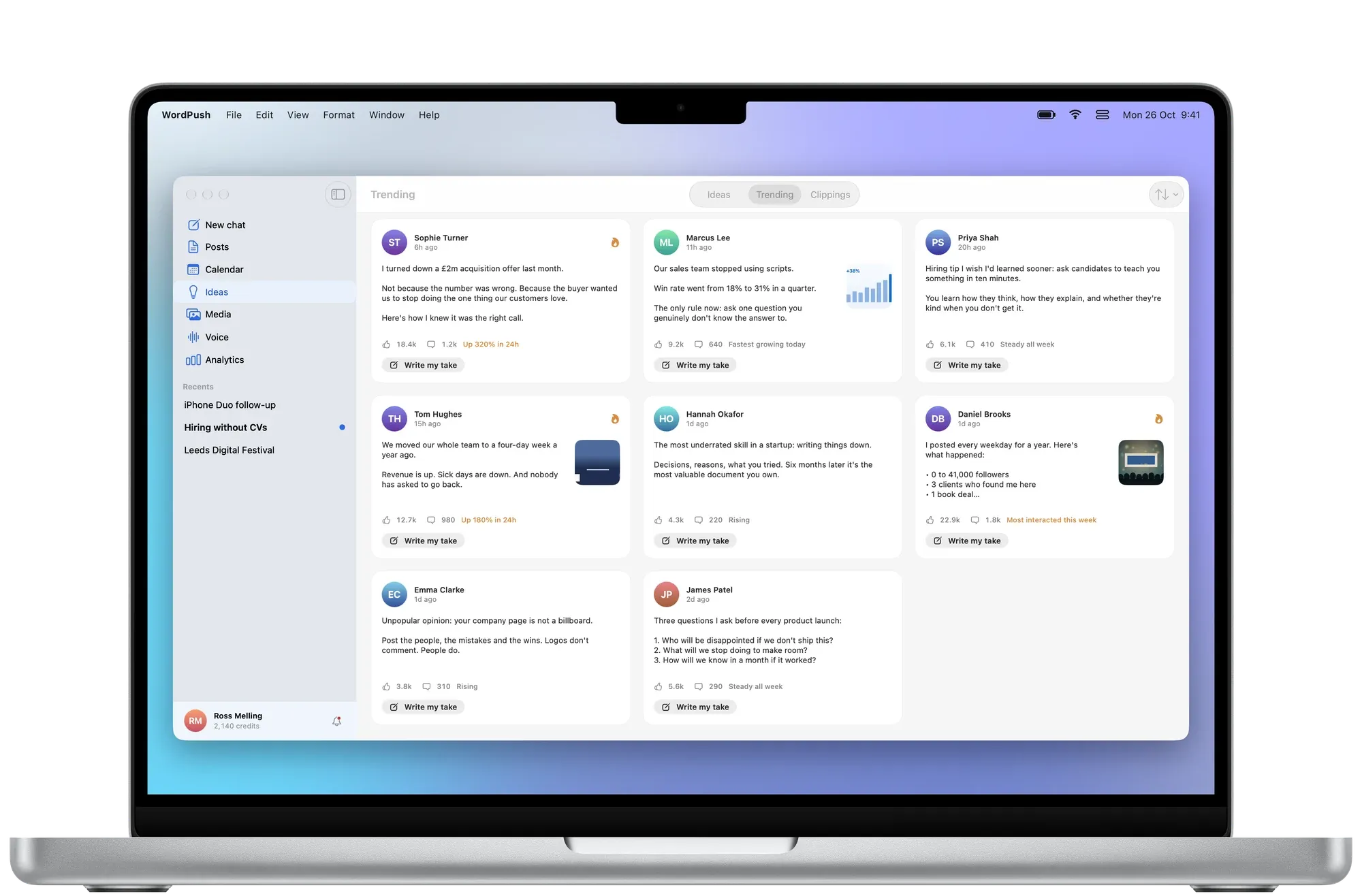
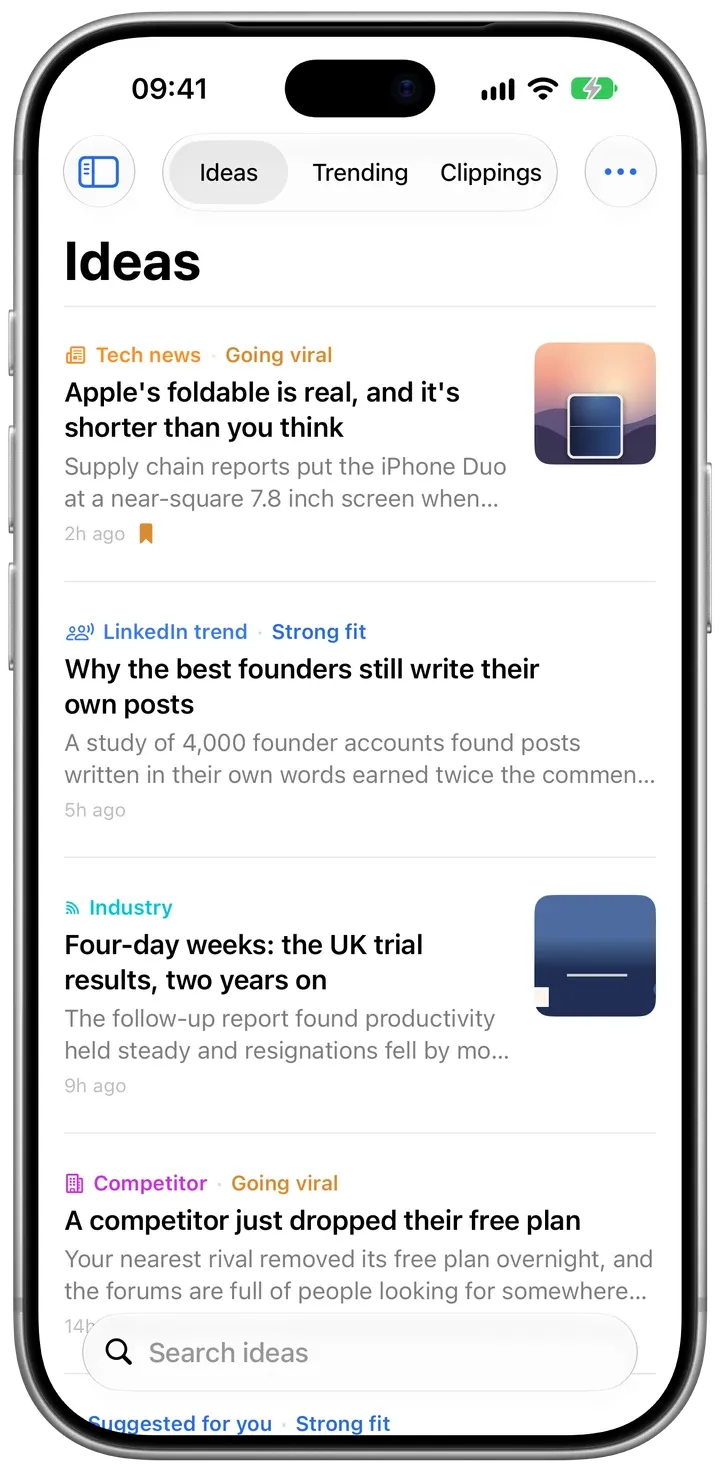
Stories from your industry, each with an angle and why it suits you.
What’s working on LinkedIn right now, with Write my take one tap away.
Save posts, links, photos and notes as you find them. WordPush draws on them when it writes.
Calendar and Analytics
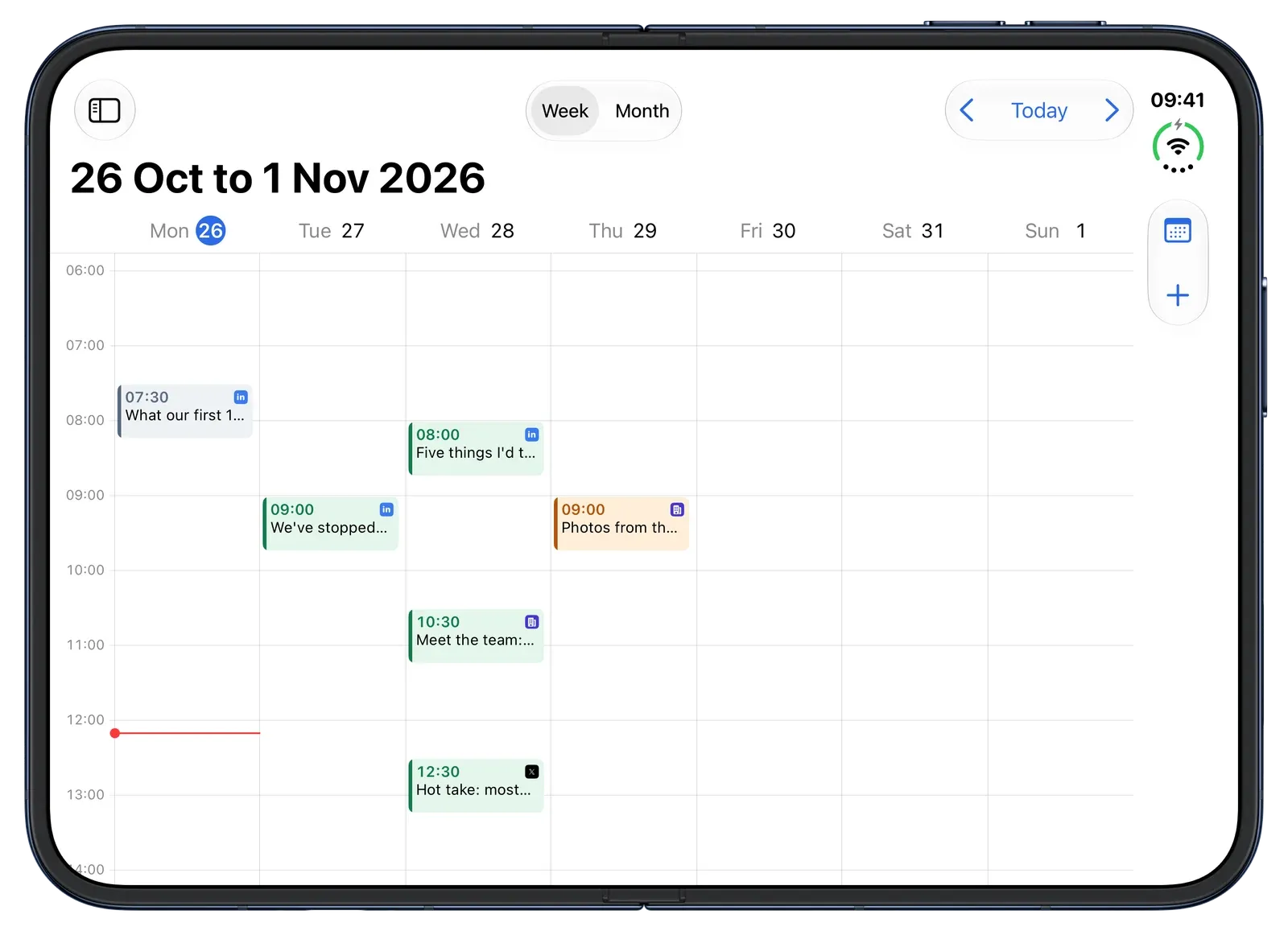
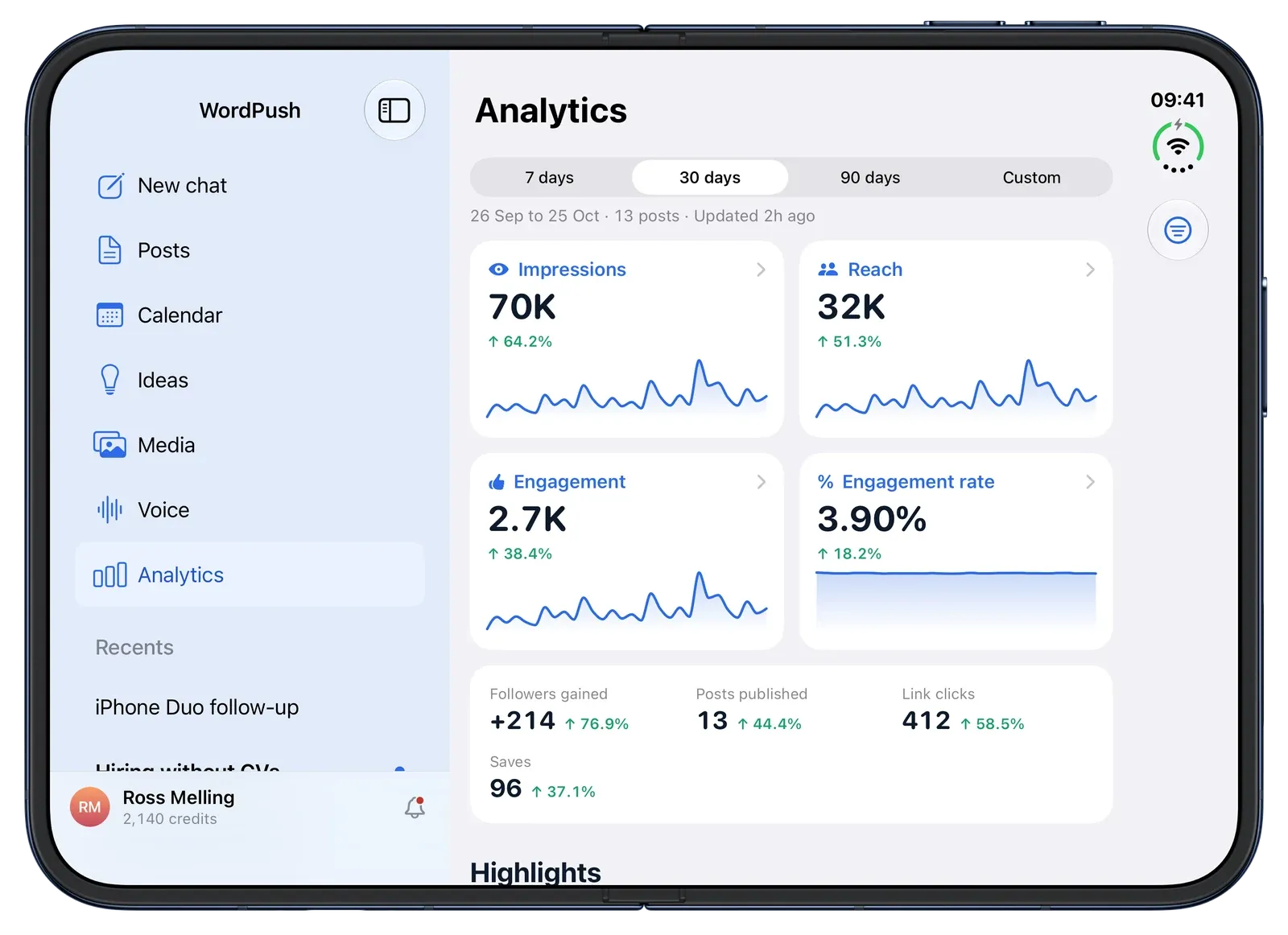
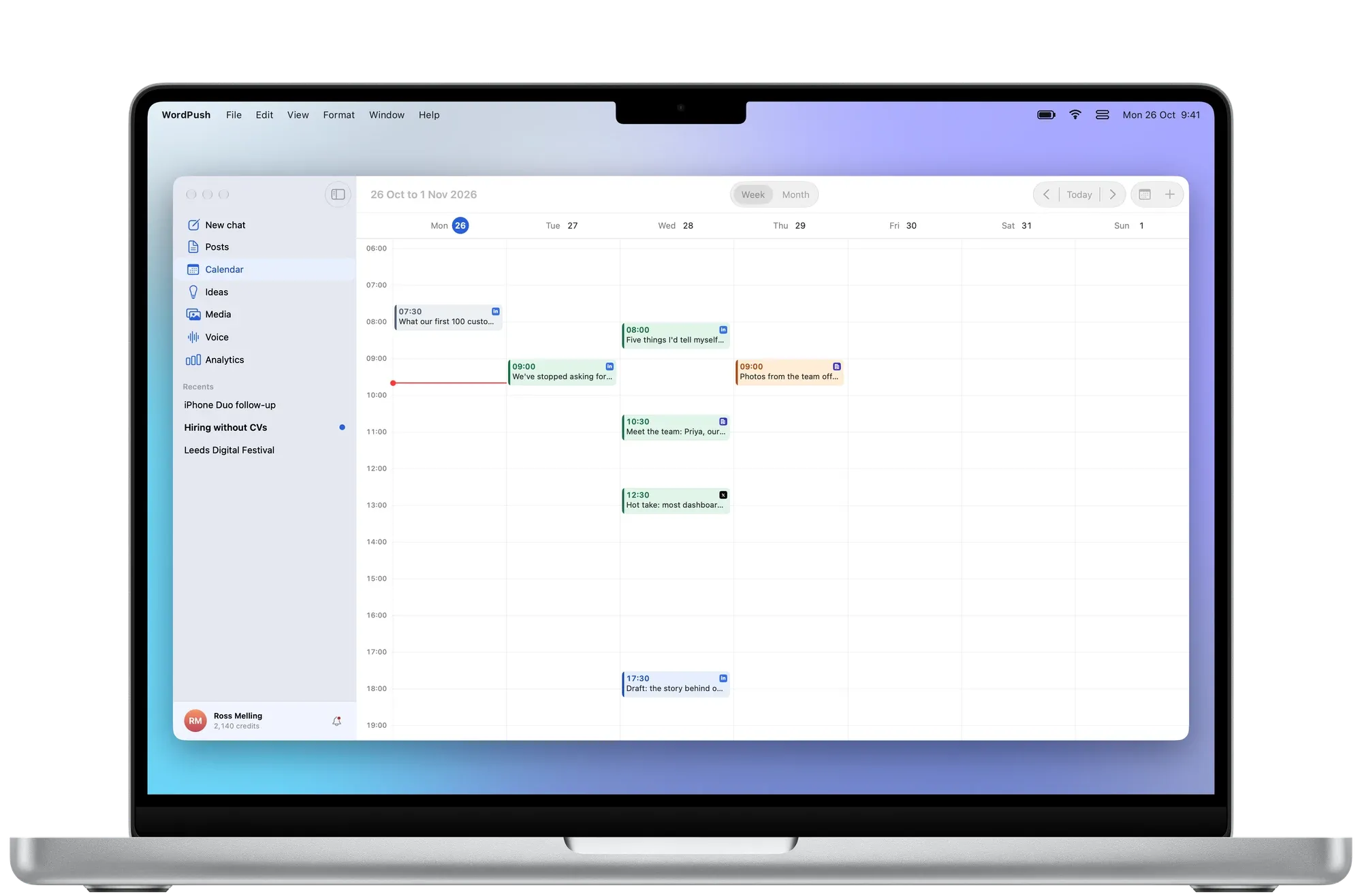
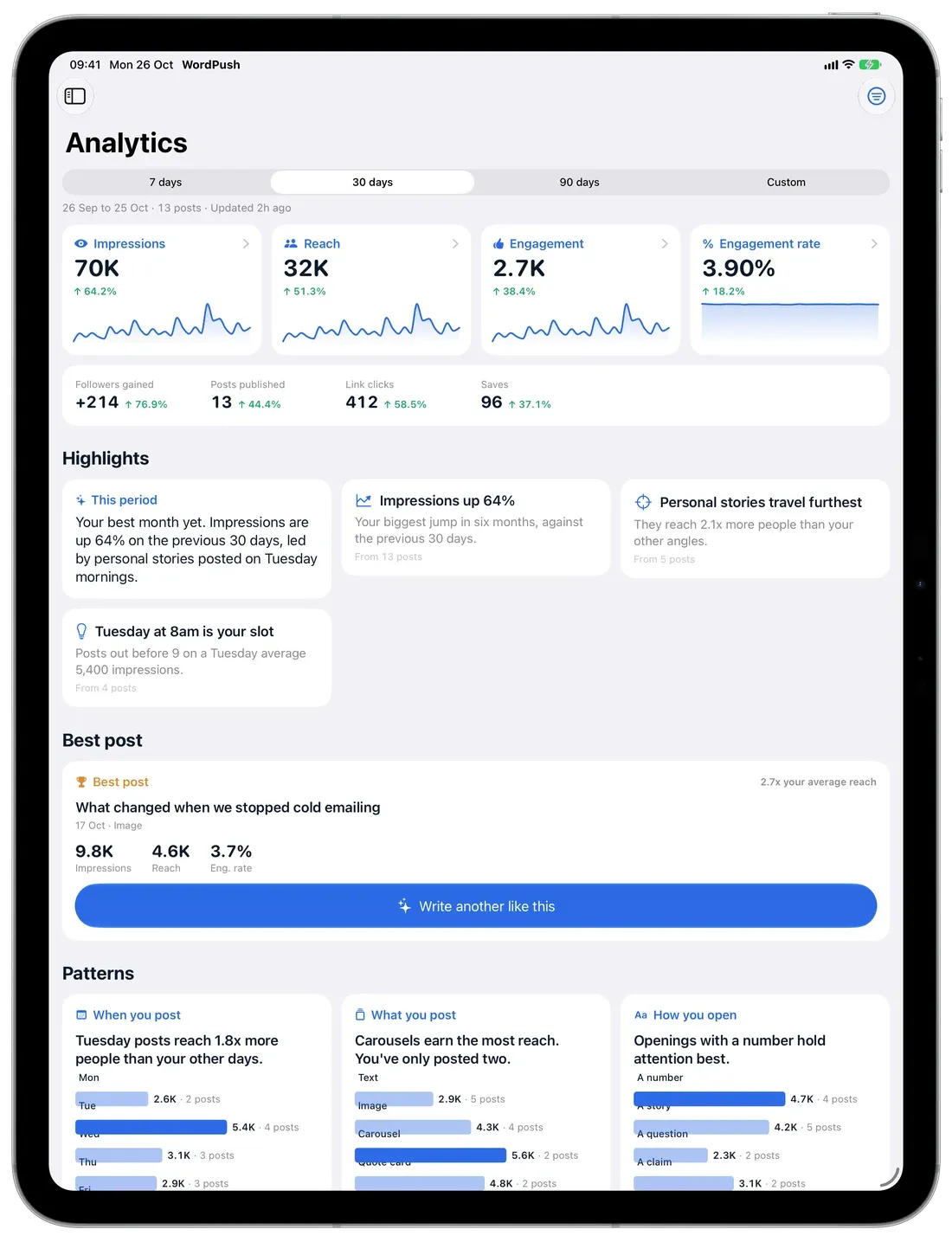
Schedule a week of posts in one sitting, then learn what’s working: which openings travel, and which days and formats win.
Your profile and company page side by side. Pick a slot or take the best time WordPush suggests.
“Tuesday posts reach 1.8× more people.” Not just charts.
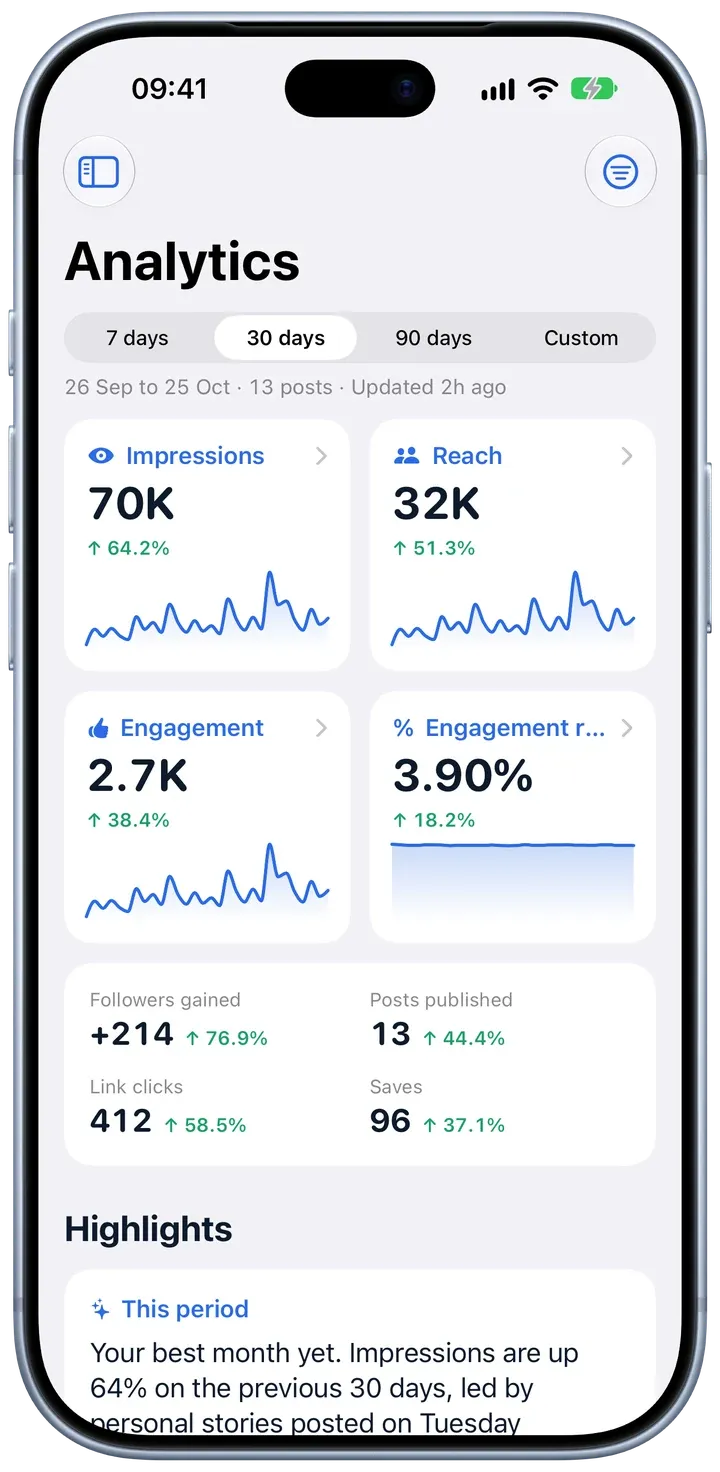
See what’s going out today, and what’s next.
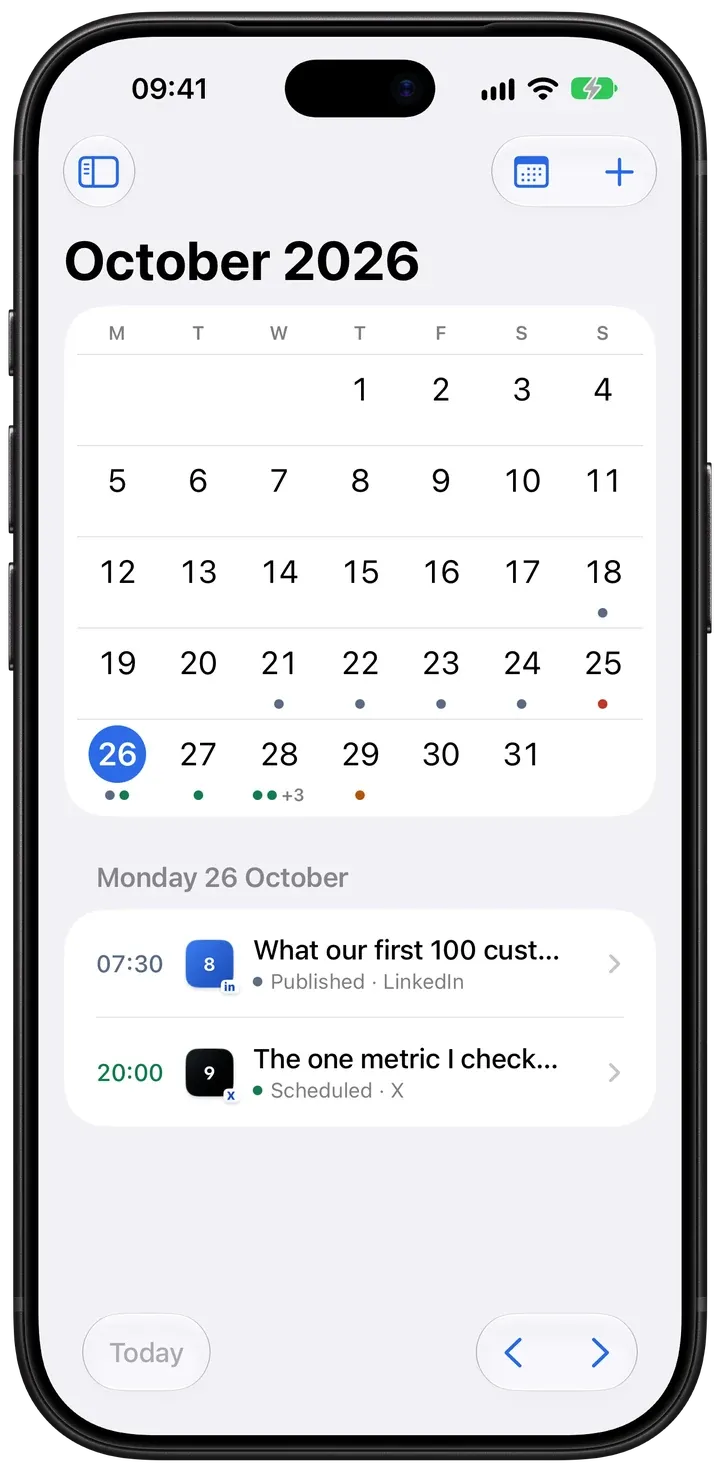
Impressions, reach, engagement and followers, against the period before.
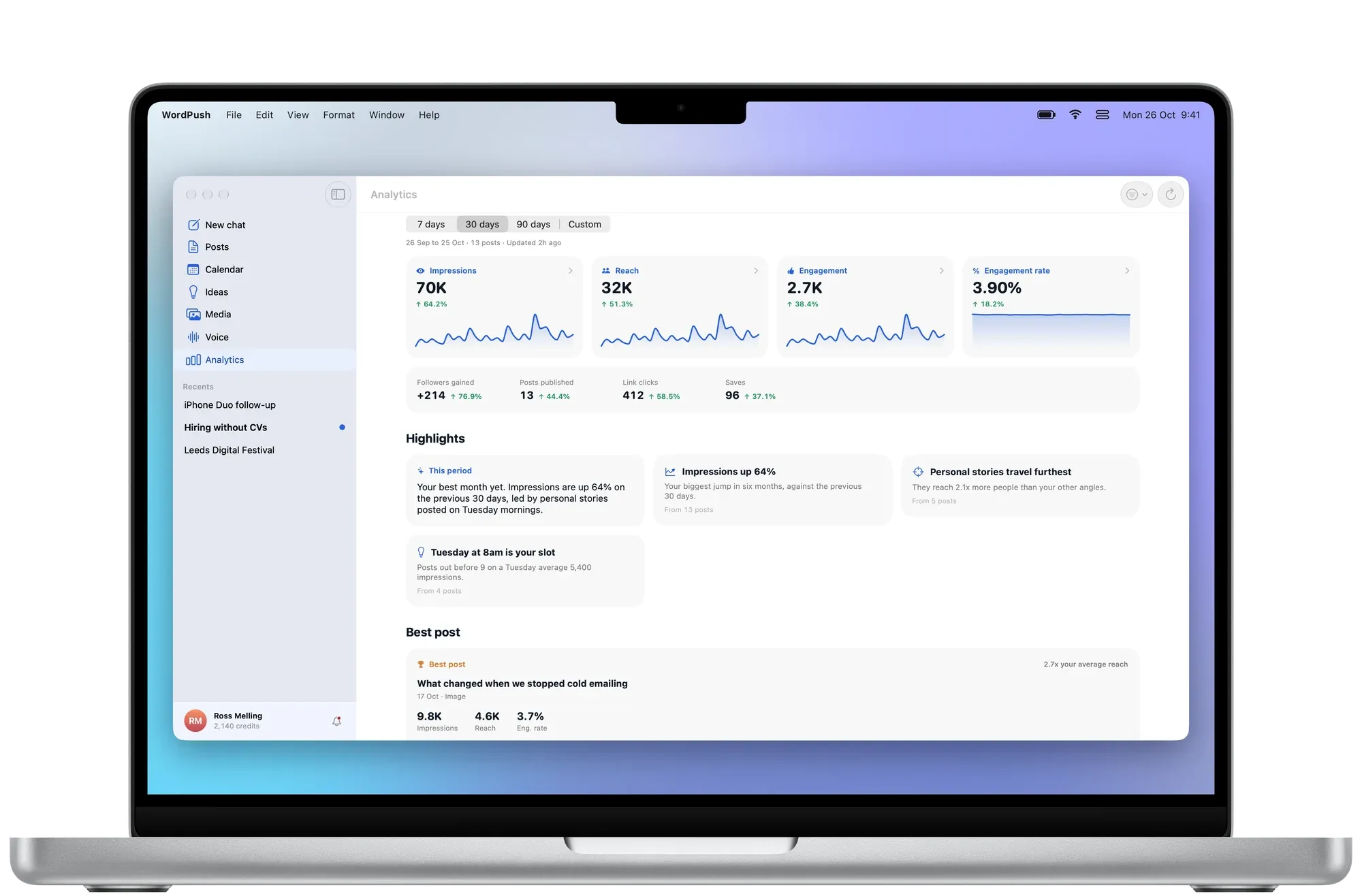
Made for iPhone Duo
Open iPhone Duo like a book and your chat sits on one page, the post on the other. Edit one and watch the other change. Fold it shut and WordPush carries on, on the outer screen.
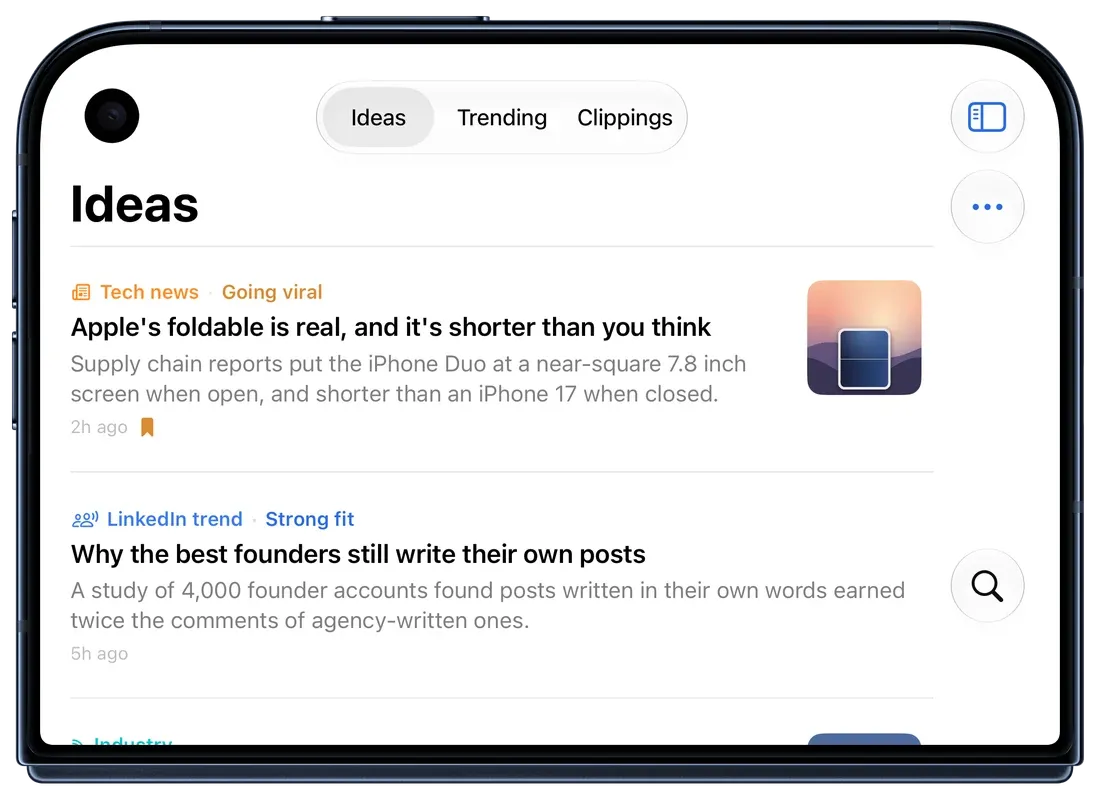
Folded
The native app experience
One SwiftUI app for iPhone, iPad and Mac, built the way Apple builds its own apps.
Native on iPhone, iPad and Mac. Not Catalyst, not a web wrapper.
The new system materials on iOS and macOS 26, and the same calm feel on earlier versions.
Menu bar commands, a Settings window, ⌘N for a new chat, ⌘1 to ⌘6 to jump, ⌘B and ⌘I to format.
Talk instead of type, in chat and Voice Learning. Your words land as text you can edit.
One tap to get in, with LinkedIn sign‑in and two‑factor there too.
Follows your system setting, right down to the feed‑style post.
Chats, posts, ideas and your voice follow you from Mac to iPhone, and to the web.
Chat and post side by side when it’s open, the outer screen when it’s folded.
Mac, iPad, iPhone and iPhone Duo
Start a post on your iPhone on the train. Finish it on your Mac. It’s all the same WordPush.
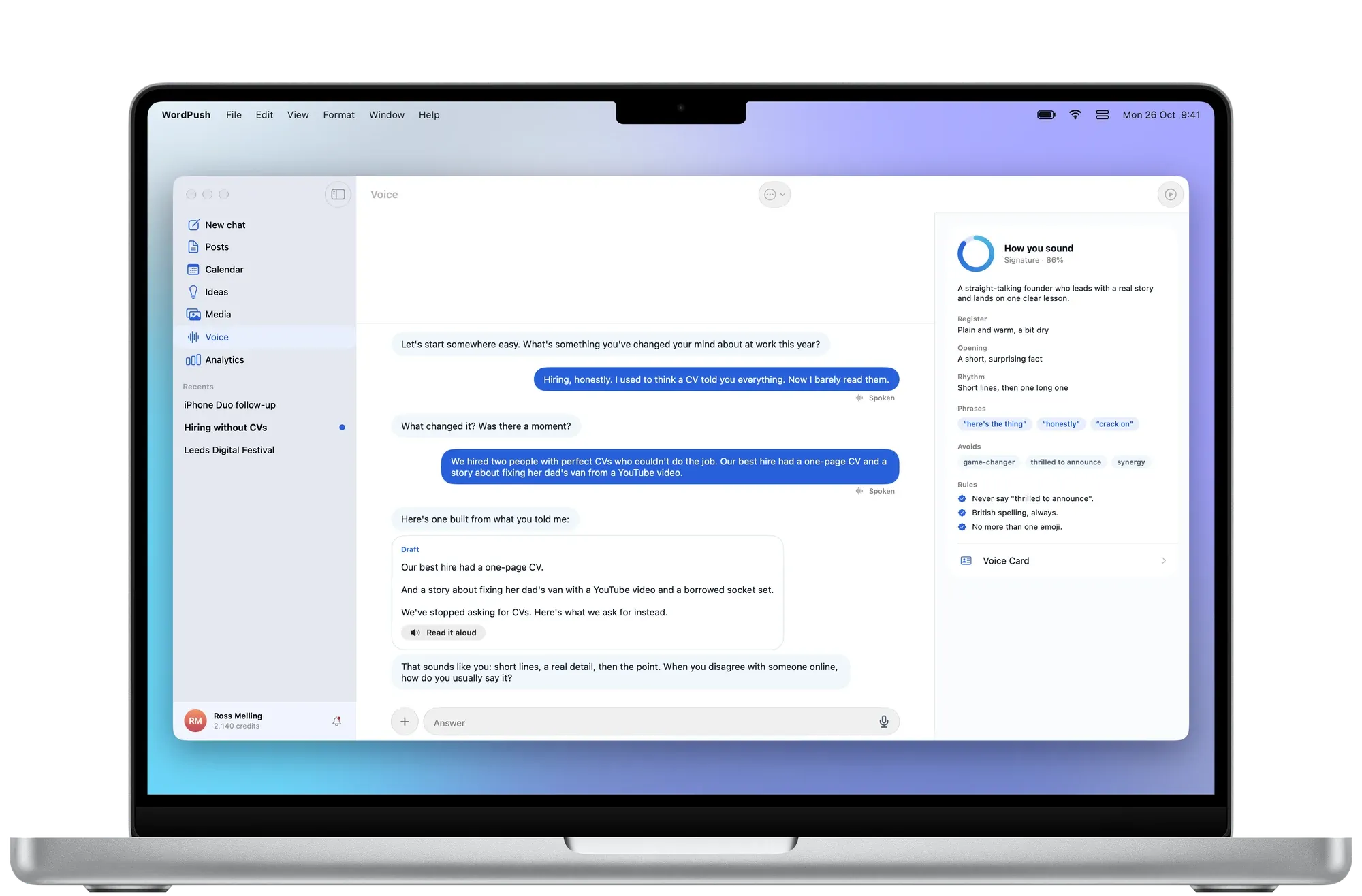
The full studio, with keyboard shortcuts and the menu bar.
Sidebar and post side by side, made for a bigger screen.
Catch the idea the moment it happens.
Chat on one page, the post on the other.

WordPush for iPhone, iPad and Mac is in beta. Leave your details and we’ll add you. Your invite comes straight from TestFlight.
We’ll add you to the beta shortly. Your invite will come from TestFlight: open it on your iPhone, iPad or Mac and tap Install.
Needs iOS 18, iPadOS 18 or macOS 15 or later. Uses your WordPush account. We only email you about the beta.
They show us how the site gets used and which ads brought you here.
Essential cookies stay either way. Nothing is ever sold on. What we collect